Day 4: Setting up Internet connection

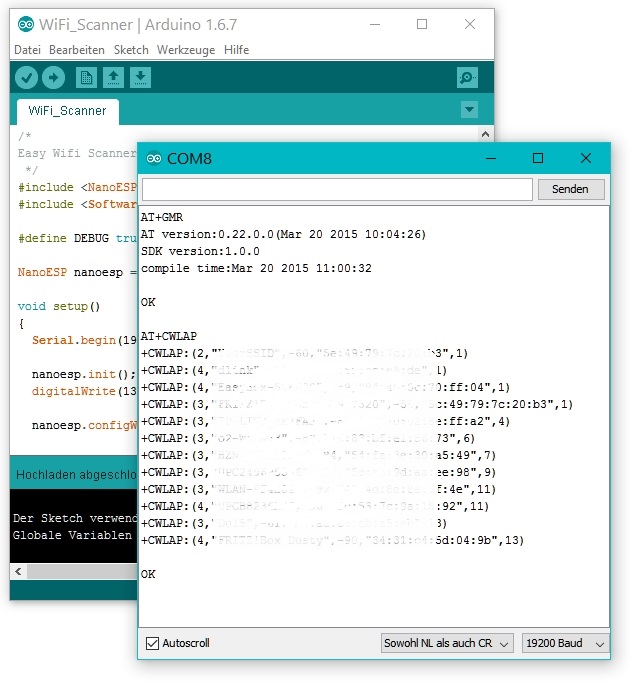
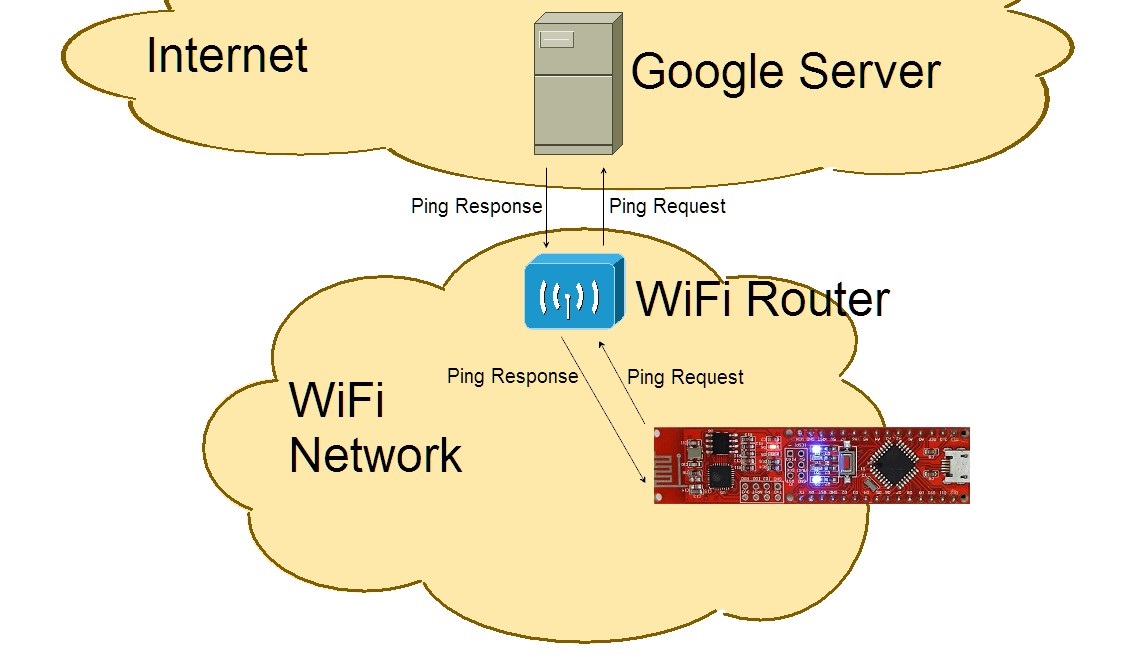
Behind today’s door is a 1-kohm resistor. We’re not going to do much with it today, but tomorrow it becomes important. In today’s test, we want to set up an initial connection to your home WLAN network. For this purpose, you need, as you will on many days to come, to enter your WLAN data in the programme. The Board pings the Goolge server But first you need to download today’s programme. You can download it via the right button on the from the Arduino Create Iframe. ...
04.12.2016 · 2 min · Fabian Kainka

Day 3: The NanoESP in access point mode

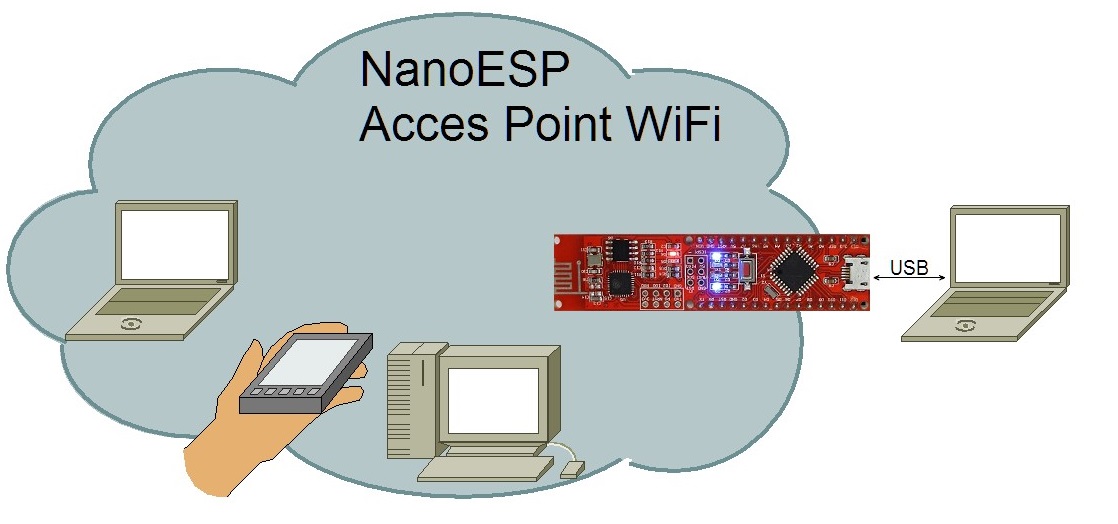
Behind the third door is the jumper wire, which is important for many tests. To prepare for later tests, you can place the supply lines GND and VCC on the outermost lanes. You’ll thereby have better access to these important lines later. The jumpers to GND and VCC In the project for today, you now get around to changing something in a programme even on your own. The following sample programme serves as a basis: ...

03.12.2016 · 2 min · Fabian Kainka

Day 2: The Arduino IDE

This time there’s a breadboard behind the door. On it, you can quickly and easily assemble the hardware layouts of the Advent calendar. Since only the NanoESP is available so far, we’ll start with it. NanoESP on a breadboard It’s best if you plug the controller into the breadboard as shown in the picture. That way, the greatest space remains free for experiments; the WLAN module sticks out behind past the breadboard. The micro-USB cable then hangs between the contact sides and is only a minimal disruption. The board needs to be pressed in gently until it touches the contacts. ...

02.12.2016 · 3 min · Fabian Kainka

Tag 1: Das NanoESP-Board

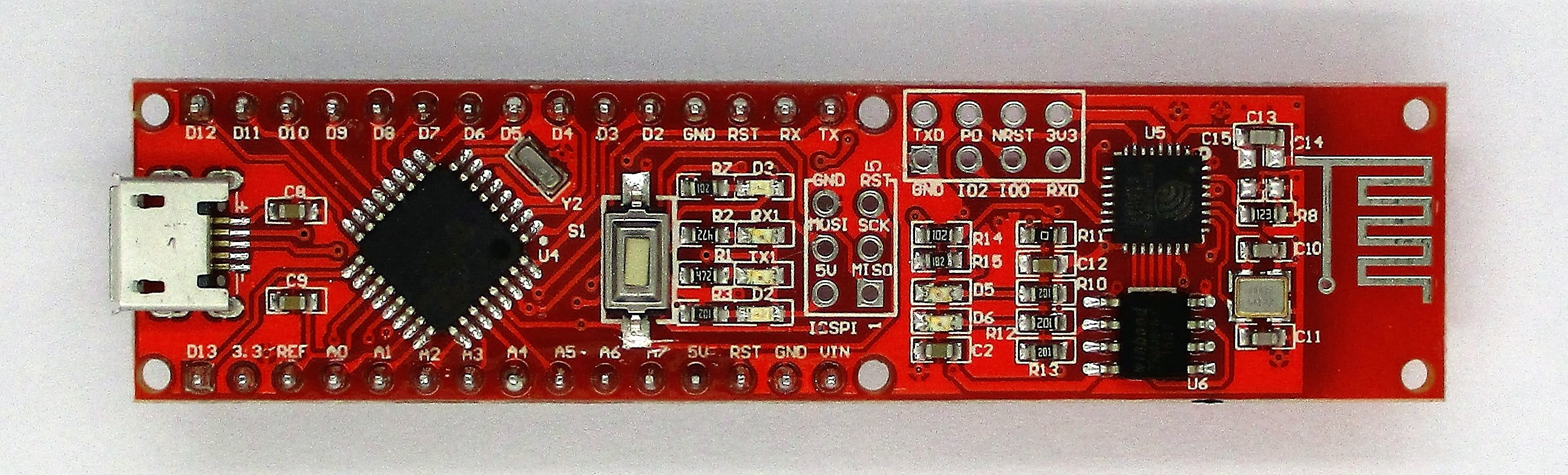
It’s the first of December and thus time to open the first door. Behind it is arguably the most important element of the calendar: the NanoESP board. This Arduino-compatible controller with WLAN function is at the centre of the 24 tests. The NanoESP Board To s briefly, it can be said that the board is most likely a cross between a board similar to an Arduino Nano and a WLAN module with the name ESP8266. The communication between the two elements runs through a serial port generated via software, which is connected to Pins D11 and D12. You should thus avoid these pins with your own projects. ...

01.12.2016 · 3 min · Fabian Kainka

Tag 0: Alle Programm von Kalender 2016

Auch dieses Jahr gibt es wieder die Vorabversion aller Programme zum Ausprobieren. Wie bereits in dem Handbuch erwähnt wurde speziell für den letzten Teil des Adventskalenders ein eigener Server gemietet und konfiguriert. Dieser ist nun soweit eingestellt, dass auch die letzten Versuche funktionieren. Es kann allerdings immer noch sein, dass es bis zum offiziellen Start im Dezember zu kurzen Downzeiten kommt. Ein Problem gibt es derzeit noch mit dem Cheerlights Projekt am Tag 23. Ich hoffe, dass ich dieses Problem in den nächsten Tagen lösen kann. ...

08.10.2016 · 1 min · Fabian Kainka

Library for NanoESP & Pretzel Board

19.09.2016 · 0 min · Fabian Kainka

Infos zum neuen Adventskalender

Das Adventskalender Projekt vom letzten Jahr hat anscheinend viel Anklang gefunden. Anhand der Nutzerzahlen konnte ich ablesen, dass viele Interessierte täglich den neuen Versuch auf der Webseite aufgerufen haben und auch in den Kommentarbereichen war ordentlich was los. Es war einfach schön zu sehen, wie Sich viele verschiedene Bastelbegeisterte gegenseitig helfen. Aus diesem Grund soll auch in diesem Jahr das Adventskalender Projekt durch diese Webseite begleitet werden. In dem letzten Jahr war der die online Unterstützung ein erster Versuch, der anscheinend recht erfolgreich war. Dennoch gab es einige Kritikpunkte, die teilweise auch Ihre Berechtigung hatten. Deswegen habe ich versucht in diesem Jahr einige Dinge besser zu machen. ...

08.09.2016 · 2 min · Fabian Kainka